

Added: 5/11/2026
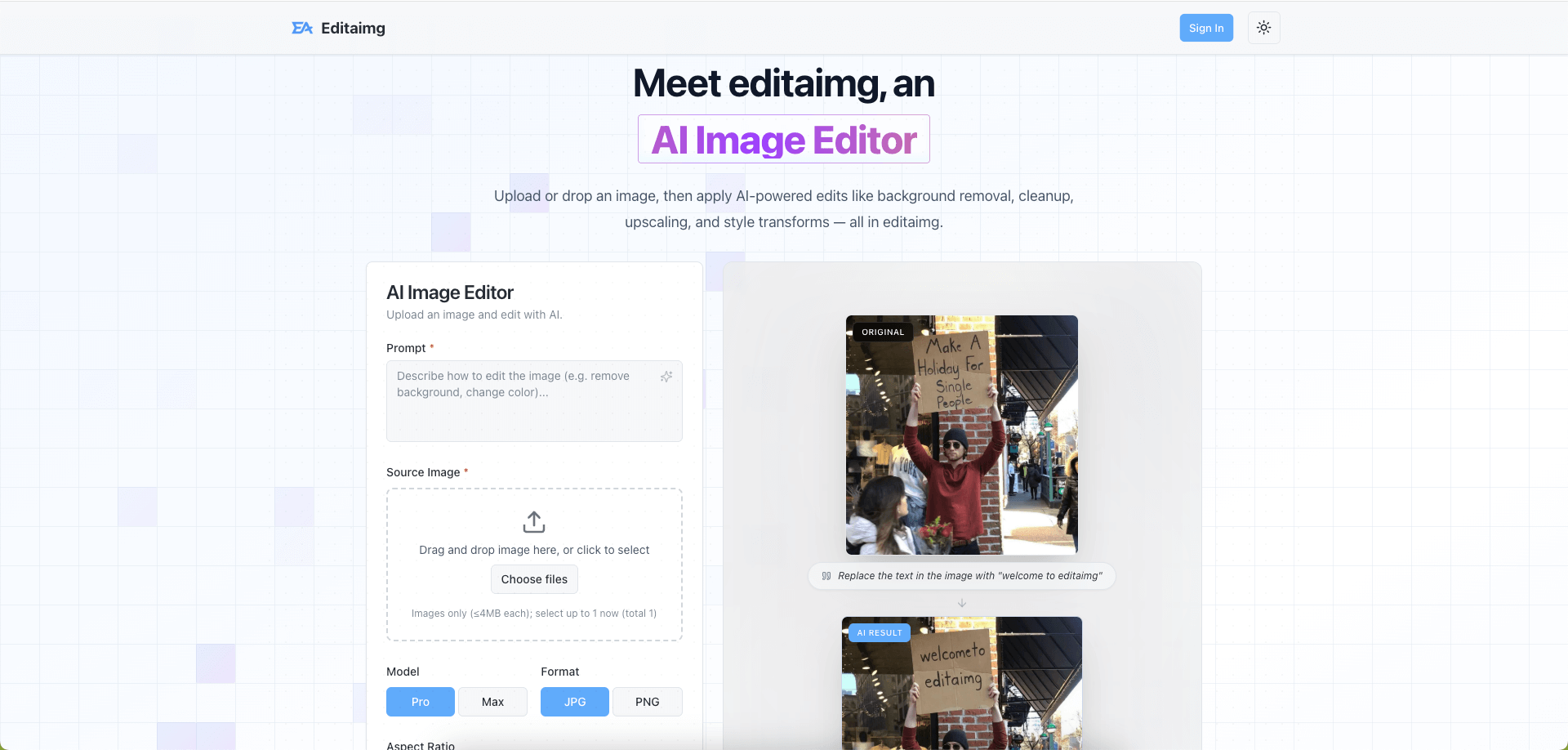
Editaimg is an AI-powered image editor that allows users to enhance, transform, and create stunning visuals with ease, offering various AI-driven tools.
Overview
Introduction
Editaimg is a cutting-edge AI Image Editor designed to simplify and enhance image editing processes. It provides a suite of AI-driven tools that enable users of all skill levels to achieve professional-quality results. From basic touch-ups to complex transformations, Editaimg leverages artificial intelligence to streamline the workflow and unlock creative potential.
Editaimg addresses the common challenges faced by both amateur and professional image editors. It tackles issues such as time-consuming manual edits, the need for specialized skills, and the complexity of traditional image editing software. By integrating AI, Editaimg offers intuitive and efficient solutions for tasks like background removal, object replacement, style transfer, and more. This allows users to focus on their creative vision rather than getting bogged down in technical details.
The platform aims to democratize image editing by making advanced tools accessible to everyone. Whether you're a marketer creating product visuals, a social media enthusiast enhancing personal photos, or a designer needing quick mockups, Editaimg provides the tools and flexibility required. With its user-friendly interface and powerful AI capabilities, Editaimg is transforming the way images are edited and enhanced.
Key Features
- AI-Powered Editing: Editaimg utilizes AI algorithms to provide intelligent image editing features. This includes background removal, object replacement, and style transfer, all achievable with minimal manual effort.
- Style Transforms: With Editaimg, users can apply various artistic styles, color grading, and lighting adjustments to instantly transform the look and feel of any image. This feature enables quick experimentation with different visual aesthetics.
- Image Text Editor: The built in Image Text Editor feature lets users add, edit and remove text from images while matching fonts, colors and textures.
- AI Upscaling: The platform offers AI-driven upscaling capabilities, allowing users to enhance the resolution and details of low-resolution images without sacrificing quality. This is particularly useful for preparing images for print or large displays.
- Object Replacement: Editaimg makes it simple to replace objects within an image seamlessly. Whether it's swapping out a product in a marketing visual or altering elements in a personal photo, the AI ensures smooth and realistic integration.
- AI Image Translator: Translate text in images to over 130 languages while preserving the original style and formatting.
- Background Removal: Remove backgrounds from images with precision and ease using Editaimg's AI-powered background removal tool.
- Instant Preview & Share: Review results in a clean grid, then download or share with a single click. This feature facilitates efficient collaboration and feedback loops.
Target Users
- Marketers and Advertisers: Professionals who need high-quality product visuals, social media content, and advertising materials can use Editaimg to quickly create stunning images without extensive design skills.
- E-commerce Businesses: Online retailers can enhance product photos, create engaging lifestyle images, and optimize visuals for various e-commerce platforms using Editaimg.
- Social Media Influencers: Individuals looking to enhance their personal brand can use Editaimg to create visually appealing and engaging content for platforms like Instagram, Facebook, and TikTok.
- Designers and Creatives: Editaimg can augment designers' workflows by providing rapid prototyping, style exploration, and quick edits, thereby saving time and resources.
- Amateur Photographers: Hobbyists who want to enhance their photos without complex software can use Editaimg for quick touch-ups, style adjustments, and creative experimentation.
- Small Business Owners: Entrepreneurs can use Editaimg to create professional-looking marketing materials, website visuals, and product images without hiring a professional designer.
Unique Selling Points
Editaimg stands out from competitors due to its seamless integration of AI into a user-friendly platform. Unlike traditional image editing software that requires specialized skills and manual effort, Editaimg automates many complex tasks, making professional-quality results accessible to everyone. The platform’s intuitive interface and AI-driven features enable users to achieve stunning visuals with minimal effort and expertise.
Furthermore, Editaimg offers a comprehensive suite of AI tools tailored to various image editing needs. From background removal and object replacement to style transfer and upscaling, Editaimg provides a one-stop solution for transforming images. This eliminates the need for multiple software tools and streamlines the editing workflow. The platform’s focus on AI-powered editing and ease of use positions it as a unique and compelling offering in the crowded image editing market.
Pros and Cons
Pros:
- Ease of Use: Editaimg features an intuitive interface that makes it easy for users of all skill levels to navigate and utilize its tools.
- AI-Powered Automation: The platform automates many complex image editing tasks, saving time and reducing the need for manual effort.
- Comprehensive Feature Set: Editaimg offers a wide range of AI-driven tools, from background removal to style transfer, providing a one-stop solution for image editing needs.
- High-Quality Results: The AI algorithms ensure professional-quality results, with seamless integrations and realistic transformations.
- Cost-Effective Solution: Editaimg provides a cost-effective alternative to hiring professional designers or purchasing expensive software.
Cons:
- Dependency on AI: While AI automation is a strength, users may have limited control over certain aspects of the editing process.
- Internet Dependency: The platform requires a stable internet connection to function, which may limit its accessibility in certain situations.
- Potential for AI Artifacts: In some instances, AI algorithms may produce minor artifacts or imperfections in the final image.
FAQ
Q: What types of images can I edit with Editaimg?
A: Editaimg supports a wide range of image formats, including JPEG, PNG, and GIF. You can edit photos, illustrations, graphics, and more.
Q: How does Editaimg ensure the quality of the edited images?
A: Editaimg uses advanced AI algorithms to ensure high-quality results. The platform automatically optimizes image settings, balances colors, and enhances details to produce professional-looking visuals.
Q: Can I use Editaimg for commercial purposes?
A: Yes, Editaimg can be used for commercial purposes. You can use images edited with Editaimg in your marketing materials, website visuals, and product photos. Be sure to check the licensing terms for specific use cases.
Q: Is Editaimg suitable for beginners with no prior editing experience?
A: Yes, Editaimg is designed to be user-friendly and accessible to beginners. The platform's intuitive interface and AI-driven features make it easy to achieve professional-quality results without any prior editing experience.
Q: How often are the AI algorithms updated?
A: The AI algorithms are consistently being updated to utilize new advancements and technology, allowing for optimal image results.
Top Features
- Achieve professional-grade edits without needing specialized skills or complex software.
- Automate tasks like background removal and object replacement, saving valuable time.
- Quickly transform images with artistic styles, color grading, and AI object manipulation.
Traffic Analysis
Monthly Visits
--
Avg. Duration
--
Global Rank
--
Bounce Rate
--
Alternatives to Editaimg AI Image Editor

Black Screen
Professional black screen tool for monitor testing, OLED burn-in prevention, and dead pixel detection. 4K downloads, 9 colors, fullscreen - 100% free.

AI Hunt Base
AI Hunt Base is a curated directory of AI tools, offering independent reviews, useful comparisons, and recommendations organized by real-world use cases.

BabyEvent
BabyEvent is an AI-powered platform that transforms your baby's moments into personalized stories and a cherished, editable memory book.

Connect Machine
ConnectMachine is an AI-powered agent for digital cards and contact management, enabling effortless networking and relationship building.

Spend Elon Musk Money
A free billionaire simulator game challenging you to spend Elon Musk's $749 billion fortune on 60 real-world and whimsical items across two timelines.

UseWok
UseWok offers a done-for-you service that creates and publishes original content, social posts, and verified live URLs for SaaS companies to enhance their prese

DSH Plugins
DeepSeek Harness Plugins (DSH Plugins) is the community-driven directory for browsing, searching, and discovering DSH plugins and tools.

SnapPChart
SnapPChart uses AI to analyze any stock, forex, or crypto chart from a screenshot, providing trade grades, entry/exit points, stop losses, and profit targets.