

Turn images or short phrases into paper-style animated videos and GIFs in your browser.
Added: 9/27/2026
Create paper-style videos and GIFs from an image or short phrase, customize the animation, preview it, and export in 1080p.
Overview
Overview
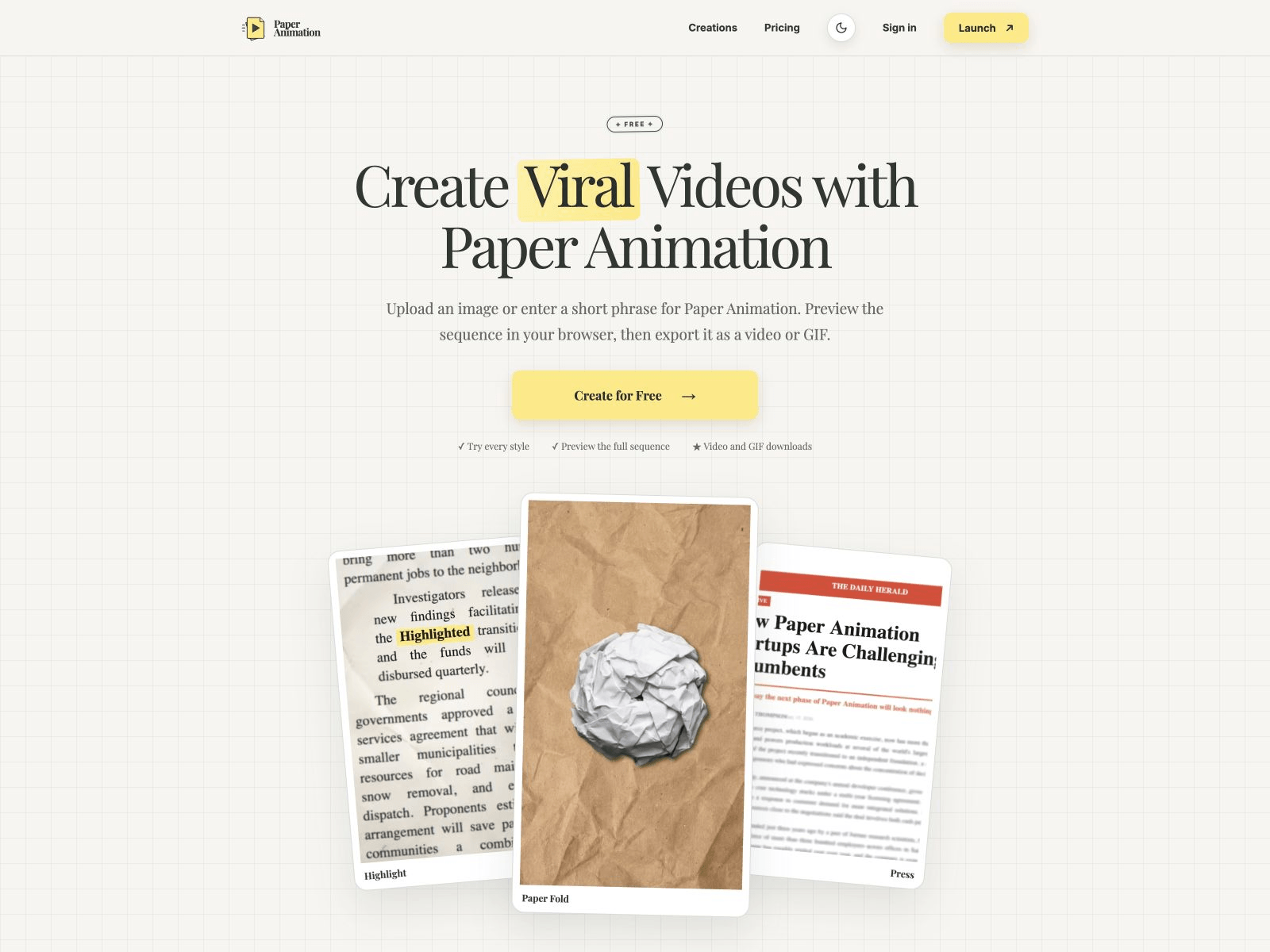
Paper Animation Maker is a browser-based creative tool for turning a still image or a short phrase into paper-inspired animated videos and GIFs. It is designed for social-first creators, marketers, educators, and editors who want a tactile paper look without needing motion-design software. Users choose a style, customize settings such as aspect ratio, frame count, colors, and texture, preview the full sequence, and download the result as a video or GIF. Watermarked 720p exports are free; one-time 30-Day or Lifetime passes unlock unlimited 1080p watermark-free exports.
Key Features
- Four animation styles: Paper Fold for images, plus Highlight, Magazine, and Press for short phrases.
- Paper Fold image animation: Upload a PNG, JPG, or WebP and create a nine-stage paper fold reveal with fold or unfold direction.
- Text-driven styles: Turn short text into newspaper highlights, magazine letters, or press coverage-style motion.
- Customization controls: Adjust aspect ratio, frame count from 4 to 20, type, colors, texture, and style-specific options.
- Five aspect ratios: Square 1:1, portrait 3:4, landscape 4:3, vertical 9:16, and widescreen 16:9.
- In-browser preview: Watch the full animation sequence before exporting.
- Video and GIF export: Download the finished animation as a video or GIF in the selected aspect ratio.
- Local project saving: Projects stay in the browser and can be reopened from Creations on the same browser and device.
- Free and paid exports: Watermarked 720p exports are free; passes unlock unlimited 1080p and watermark-free exports.
- Privacy-minded workflow: The editor processes and stores the working image in the browser rather than uploading it to the server.
Target Users
- Brand and marketing teams: Create campaign, launch, and event announcement animations with a distinctive paper treatment.
- TikTok creators: Build paper-fold reveals, animated headlines, and cutout text for hooks, transitions, and product moments.
- Teachers and students: Highlight definitions, key terms, and presentation titles with short, readable paper-style motion.
- Instagram and Reels creators: Make vertical motion for Reels, Stories, carousel openers, and promotional posts.
- Podcast and clip creators: Animate episode titles, guest names, and quotes for audiograms, trailers, and social clips.
- YouTube video editors: Produce chapter breaks, B-roll overlays, intro cards, and announcement graphics in a browser workflow.
Unique Selling Points
- Paper-inspired motion without complex software: The tool focuses on a specific visual style, making it faster than building paper animations from scratch in general motion tools.
- Source-aware styles: Paper Fold starts from images, while Highlight, Magazine, and Press are built for short text, so each style has controls matched to its input.
- Browser-based and local-first: Image processing and project storage happen in the browser, which reduces upload friction and keeps working files on the device.
- Affordable one-time pricing: The 30-Day pass is $2.99 and the Lifetime pass is $9.99, with no subscription or automatic renewal.
- Social-ready output: Five aspect ratios and video/GIF export make it easy to repurpose one idea across vertical, square, and widescreen placements.
Pros and Cons
Pros:
- Free watermarked 720p exports make it easy to test the workflow.
- One-time pricing is simple and cheaper than many subscription-based animation tools.
- Four distinct paper-inspired styles cover both image and text inputs.
- Supports 4 to 20 frames and five common social aspect ratios.
- Preview-before-export reduces wasted renders.
- Local browser storage and image processing offer privacy advantages.
- Commercial use is allowed for exports made with an active pass, provided source materials are licensed.
- Secure checkout via Stripe and a seven-day refund window.
Cons:
- Only Paper Fold accepts an image; Highlight, Magazine, and Press are text-based.
- Projects do not sync across devices or browsers, and clearing site data may remove them.
- Video export format may be MP4 or WebM depending on browser support.
- Batch creation, custom paper textures, more styles, and transparent frame export are still on the roadmap.
- The editor is browser-based, so performance and export behavior can vary by device and browser.
- Early-bird pricing may increase in the future.
Top Features
- Four paper-inspired animation styles: Paper Fold, Highlight, Magazine, and Press
- Image-to-animation with PNG, JPG, or WebP upload for Paper Fold
- Text-to-animation styles for short phrases and headlines
FAQ
Traffic Analysis
Monthly Visits
--
Avg. Duration
--
Global Rank
--
Bounce Rate
--
Alternatives to Paper Animation
Domer AI
Domer AI is a free AI video generator that converts text or images into high-definition videos quickly, powered by models like Veo, Kling, and Seedance.

imagetostl
Convert JPG, PNG, JPEG, or WEBP images into 3D-printable STL models with AI, offering preview and download functionalities.

Typing Words GIF Generator
Generate animated typing text GIFs with customizable fonts, colors, and speed. Download instantly with no signup or watermark.

SpriteFlow
AI sprite animation generator for games. No drawing skills needed. Create production-ready sprite sheets with consistent style in minutes.

SpriteFlow
AI-powered sprite animation generator for games. Create production-ready sprite sheets with consistent style quickly and easily.

JoMatter
A free browser-based toolbox for formatting, minifying, validating, analyzing, generating, and testing HTML, CSS, and JavaScript code.

Sellerview.ai
Sellerview.ai gives Amazon brands and agencies SKU-level profit analytics, fee and Buy Box alerts, and an AI co-pilot to protect real margins.

Atracker
ATracker is a self-hosted affiliate and media buying tracker for campaigns, postbacks, Cost Import, and reports—no per-event SaaS limits.