

Turn dim, empty listing photos into bright, buyer-ready visuals with AI.
Added: 9/22/2026
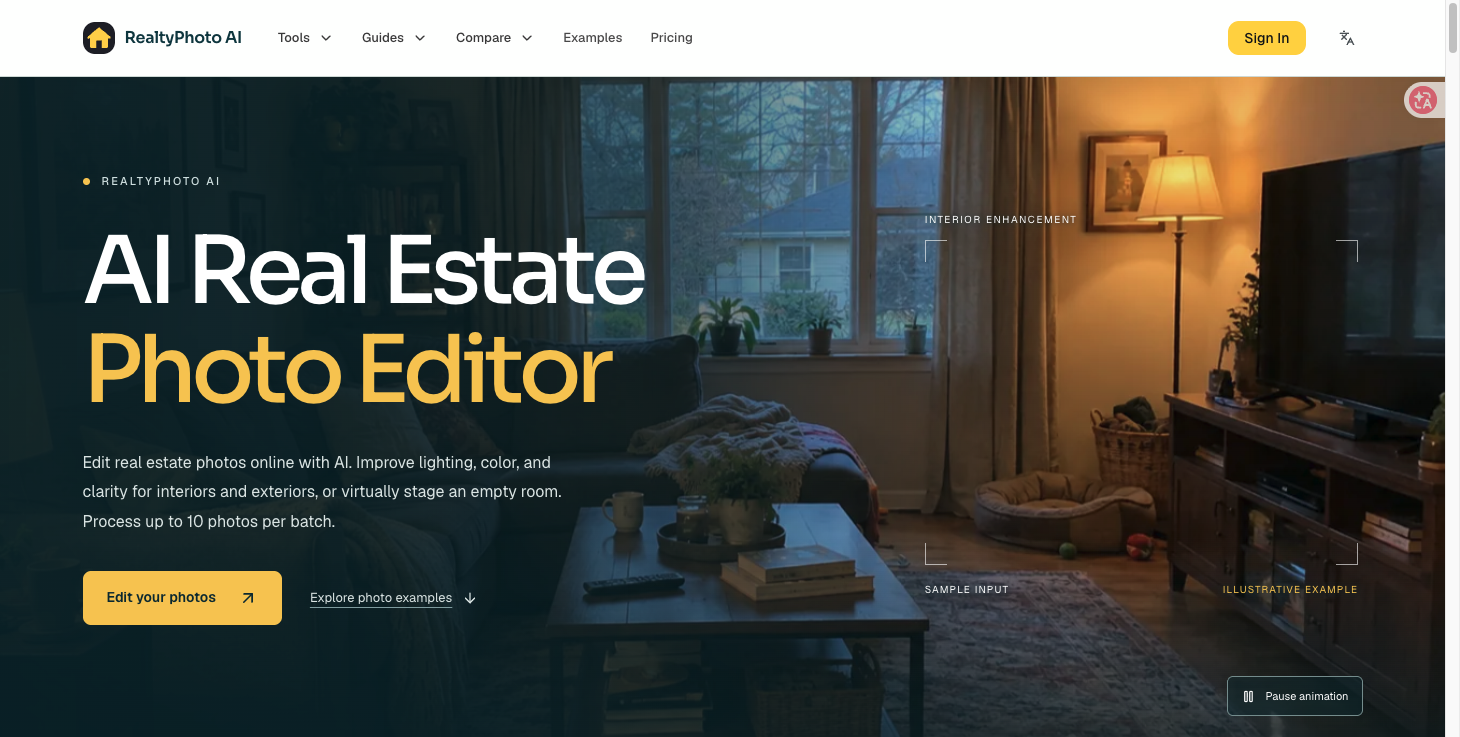
Edit real estate photos online with AI: brighten interiors and exteriors, stage empty rooms, and process up to 10 photos per batch.
Overview
Overview
RealtyPhoto AI is a browser-based, AI-powered photo editor built specifically for real estate imagery. Instead of juggling generic photo apps and manual HDR workflows, agents, photographers, and property marketers upload their listing photos, pick a mode, and let the AI correct lighting, color, and clarity for both interiors and exteriors. It also includes virtual staging, so an empty or unfurnished room can be presented as a furnished, buyer-ready space without hiring a physical staging crew. The tool is designed for throughput: it accepts up to 10 photos per batch, supports JPG, PNG, and WebP files up to 20 MB each, and handles images with a longest side up to 4096 px. Every result can be reviewed individually before download, and the interface ships in multiple languages (English, German, Spanish, French, Japanese, Brazilian Portuguese, and Chinese).
Key Features
- AI interior enhancement — corrects dim, warm, or uneven lighting, fixes color casts, and improves clarity so rooms look bright, neutral, and inviting.
- AI exterior enhancement — cleans up curb-appeal shots: sky, lawn, facade, and overall exposure balance for listing thumbnails and hero images.
- Virtual staging for empty rooms — furnishes vacant rooms with AI-generated interiors so buyers can read scale, layout, and purpose at a glance.
- Batch processing up to 10 photos — handle a full room set in one pass rather than uploading image by image.
- Per-photo review before download — inspect each output and discard the ones that miss, keeping only the keepers.
- Before/after comparison slider — drag to compare the original capture against the enhanced result side by side.
- Purpose-built workflow modes — dedicated interior and exterior tabs, plus a vacation-rental (Airbnb-style) editing path for short-stay listings.
- Generous file support — JPG, PNG, or WebP, up to 20 MB per photo, longest side up to 4096 px.
- Multi-language interface — localized sites for EN, DE, ES, FR, JA, PT-BR, and ZH.
- Guides and comparisons library — editing and virtual staging guides plus head-to-head comparisons with AutoHDR, Collov AI, and BoxBrownie alternatives.
Target Users
- Real estate agents and brokerages who need listings to look professional without an editing backlog.
- Real estate photographers delivering interior and exterior sets for clients on tight turnaround.
- Vacation rental and Airbnb hosts polishing listing galleries to lift click-through and bookings.
- Property marketers and listing coordinators producing consistent, on-brand imagery across many properties.
- Small teams and solo operators who want virtual staging results without physical staging budgets.
Unique Selling Points
- Real-estate specific, not general purpose. The models and controls are tuned for interiors and exteriors rather than portraits or product shots, so results need less manual correction.
- Enhancement and staging in one place. Lighting/color fixes and virtual furnishing live in the same workflow, removing the need for a second subscription or an outsourced editing service.
- Batch-first design. A 10-photo batch matches how listing shoots actually arrive, cutting repetitive upload time.
- Review-before-download control. Nothing is committed until you approve each individual result, which protects quality on awkward rooms.
- No software install, no learning curve. It runs in the browser, with editable mode tabs instead of layer stacks and masks.
Pros and Cons
Pros
- Fast, one-pass AI enhancement for both interiors and exteriors.
- Virtual staging removes the cost and lead time of physical staging.
- Up to 10 photos per batch keeps multi-room shoots moving.
- Review each photo before downloading, so only finished images leave the tool.
- Browser-based with multilingual support and no local install.
- Backed by practical guides and direct comparisons to established alternatives.
Cons
- Batch ceiling of 10 photos means very large shoots (30–50 images) need multiple passes.
- 20 MB per photo and 4096 px longest-side limits may reject some RAW-origin or ultra-high-resolution exports.
- Requires an account sign-in, and usage is credit-based rather than unlimited.
- AI staging is a visualisation aid, not an exact representation of real furniture — disclosures may be required in some markets.
- Enhancement quality depends on the source image; severely underexposed or blown-out originals may not fully recover.
Top Features
- AI interior enhancement for lighting, color, and clarity
- AI exterior enhancement for curb appeal
- Virtual staging of empty rooms with AI furniture
FAQ
Traffic Analysis
Monthly Visits
--
Avg. Duration
--
Global Rank
--
Bounce Rate
--
Alternatives to RealtyPhoto AI

BabyShower AI Planner
Snap a photo of your room to get AI-generated baby shower themes tailored to your space, lighting, and budget, with free previews.
Transpic
Free AI image translator that converts text inside photos, screenshots, manga and documents into 60+ languages while preserving the original layout.

South Florida Real Estate Agent
Licensed Florida real estate sales associate with The Keyes Company, representing buyers, sellers and investors across Palm Beach County.

Unit Converter for Science
Accurate unit conversions for science and engineering across 11 categories, with formulas, conversion steps, and factor explanations.

Built2WinWeb AI Indexing Tools
Hosted SaaS that audits any domain for AI agent readiness, MCP server quality and security, and Domain Rating using licensed SE Ranking and Ahrefs data.

ToolSift
Discover verified, curated tools for developers and creators across AI, SEO, design, marketing, and other build-and-ship categories.

WordPress Speed Optimization Service
A one-time $239 WordPress speed optimization service that improves Core Web Vitals, TTFB, and load times in about five hours with no upfront cost.

NewbornPhotos
Create a beautiful newborn photoshoot from one baby photo. Upload an everyday picture, choose a portrait style, and use AI to create studio-style newborn portraits online.