

Added: 6/10/2026
All-in-one online GIF toolbox: speed, compress, convert, edit, and more. 100% browser-based, free, no upload needed.
Overview
Introduction
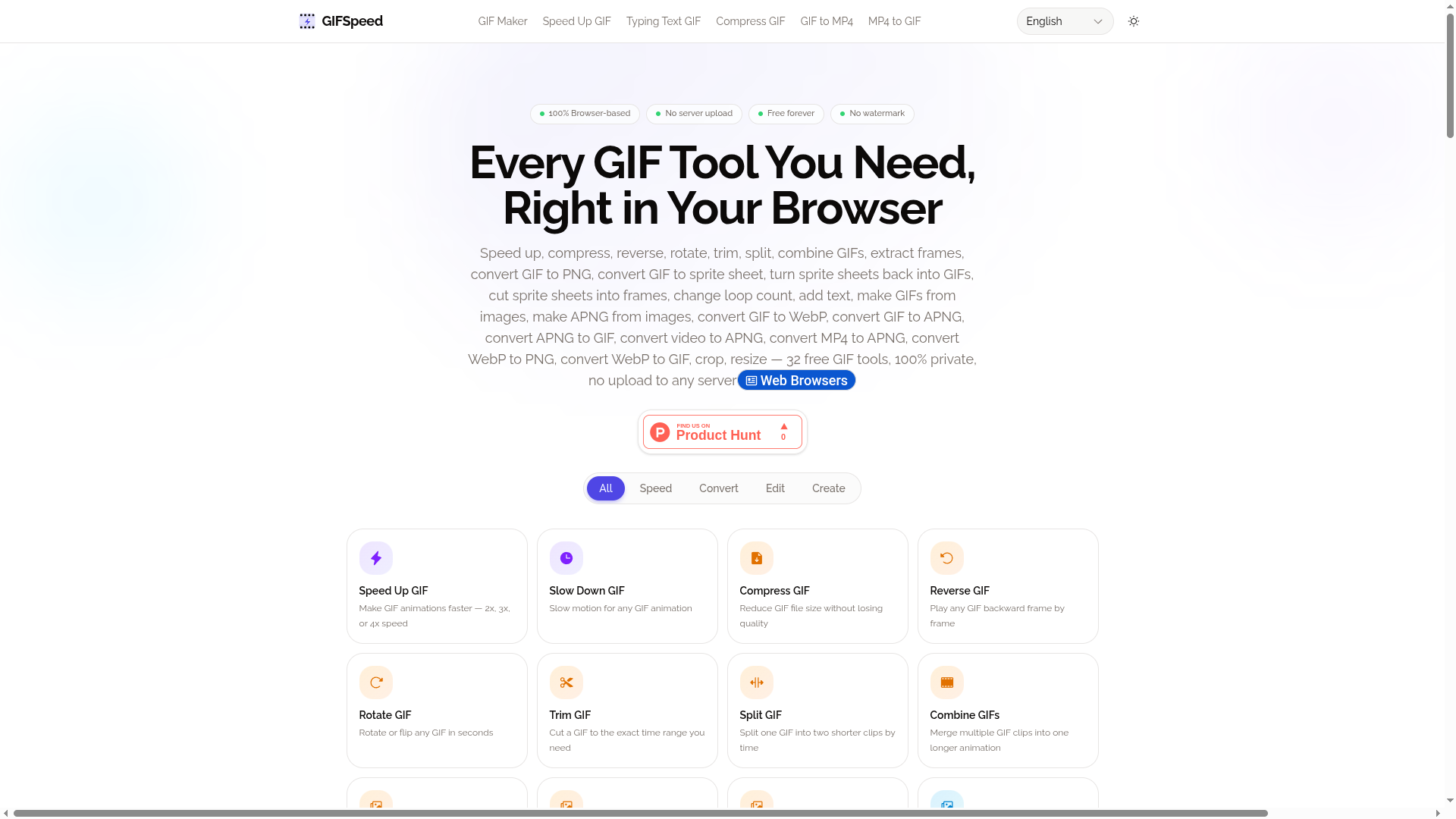
GIFSpeed is an exceptionally comprehensive online toolbox designed to streamline GIF manipulation and conversion directly within your web browser. It aims to solve the common challenges creators and developers face when working with animated GIFs, such as cumbersome upload processes, privacy concerns, quality degradation, and the need for multiple disparate tools. By offering a centralized, secure, and accessible platform, GIFSpeed empowers users to perform a vast array of editing and conversion tasks with unparalleled ease and efficiency, all without requiring any software installation or server-side interaction.
This platform stands out by emphasizing a 100% browser-based approach, leveraging WebAssembly technology to ensure that all processing happens locally on the user's device. This not only guarantees complete privacy and security for user files but also delivers lightning-fast results, often completing tasks in under three seconds. GIFSpeed addresses the need for a versatile yet simple solution for anyone frequently working with GIFs, from social media managers and content creators to web developers and designers.
Key Features
- Extensive GIF Manipulation Suite: GIFSpeed offers a staggering 32 distinct tools, covering virtually every aspect of GIF editing and creation. This includes speed adjustment (faster or slower), compression to reduce file size without significant quality loss, reverse playback, rotation and flipping, trimming, splitting, and combining multiple GIFs. Users can also extract individual frames, convert GIFs to various formats like PNG and WebP, and even create sprite sheets from GIFs and vice-versa.
- Video to GIF and Back Conversion: The platform provides robust capabilities for converting video formats like MP4 into GIFs, and also converting GIFs into MP4 video files. This includes advanced options for setting frame rates, dimensions, and custom timing, making it ideal for transforming video clips into shareable animations or optimizing animations for web use.
- Advanced Creation Tools: Beyond basic editing, GIFSpeed includes specialized creators like a GIF Maker from images (JPG, PNG, WebP), an APNG Maker, a Typing Text GIF generator for dynamic text animations, and the unique "My Beloved Edit" for adding post-processing effects. It also supports sprite sheet manipulation, allowing users to create from and export to sprite sheets.
- 100% Browser-Based & Private: Leveraging WebAssembly, all processing occurs locally in the user's browser. This means no files are ever uploaded to any server, ensuring complete privacy and security. It also eliminates the need for software installation or heavy server-side processing, making it accessible from any device with a modern browser.
- High Performance: Tasks are completed rapidly, with most files processing in under 3 seconds. This speed is achievable due to the local execution of WebAssembly code, bypassing network latency and server queues.
- User-Friendly Interface: Despite the vast number of tools, GIFSpeed maintains a clean and intuitive interface. Users can easily navigate between tools, upload files via drag-and-drop or selection, and fine-tune settings with straightforward controls, followed by instant downloads.
- Free and Unlimited Use: GIFSpeed is completely free for all users, with no limitations on usage, no watermarks on output, and no need to create an account or provide personal information. This accessibility makes it a valuable resource for individuals and businesses alike.
Target Users
GIFSpeed is designed for a broad spectrum of users, including:
- Content Creators & Social Media Managers: Individuals who frequently need to create, edit, and optimize GIFs for platforms like Discord, Twitter, Reddit, or marketing campaigns. They benefit from speed adjustments, compression for size limits, and easy conversion tools.
- Web Developers & Designers: Professionals who require GIFs or other animation formats for websites, UI elements, or app interfaces. The ability to convert between formats (GIF, MP4, WebP, APNG), resize, crop, and generate sprite sheets is particularly useful.
- Graphic Designers: Users who need precise control over animation timing, frame extraction, or creating custom animated elements.
- Gamers & Community Managers: Those who often share animated content in online communities and need tools for resizing, compressing, or creating custom GIFs from video clips.
- Educators & Students: Individuals who can use the tools for creating educational materials, presentations, or project assets without needing complex software.
- Anyone needing quick GIF edits: Casual users who occasionally need to modify a GIF (e.g., resize, crop, speed up) without installing software or compromising privacy.
Unique Selling Points
GIFSpeed differentiates itself through a potent combination of privacy, performance, and breadth of functionality, all offered completely free of charge. Its 100% browser-based processing via WebAssembly is a major differentiator, ensuring absolute user privacy by keeping all files local – a significant advantage over many online tools that require uploads. This technology also drives its exceptional speed, completing tasks in seconds. Furthermore, offering 32 distinct tools within a single, user-friendly platform eliminates the need to juggle multiple applications or websites. The complete absence of watermarks, sign-up requirements, and usage limits makes it an incredibly accessible and practical solution for all users.
Pros and Cons
Pros:
- Uncompromised Privacy: Files are processed entirely in the browser, never uploaded, ensuring maximum data security.
- Vast Toolset: Offers an extensive collection of 32 specialized GIF and video manipulation tools in one place.
- High Speed: WebAssembly execution leads to near-instantaneous processing for most tasks.
- Completely Free: No costs, no subscriptions, no hidden fees, and no watermarks.
- No Sign-Up Required: Accessible immediately without any account creation or personal information.
- Cross-Platform Compatibility: Works on any device with a modern web browser, including mobile.
- User-Friendly Interface: Intuitive design makes it easy to find and use any of the numerous tools.
Cons:
- Browser Dependency: Performance can be affected by the user's browser capabilities and device hardware.
- Potential for Overwhelm: The sheer number of tools might initially seem daunting to novice users, although the interface is well-organized.
FAQ
Is GIFSpeed really free?
Yes, GIFSpeed is completely free to use for all its features. There are no subscription tiers, no hidden costs, no limits on usage, and no watermarks applied to your downloaded files. This commitment to being free allows anyone to access powerful GIF editing and conversion tools without any financial barriers.
Are my files uploaded to a server?
Absolutely not. GIFSpeed's core principle is privacy; all file processing occurs locally within your web browser using WebAssembly technology. Your files never leave your device, meaning they are never uploaded, stored, or processed on any external server. This ensures your data remains completely private and secure.
What GIF tools are available?
GIFSpeed offers an extensive suite of 32 tools. These include functionalities for changing GIF speed (faster/slower), compressing GIFs, reversing animations, rotating/flipping, trimming, splitting, combining GIFs, extracting frames, converting between formats (GIF to MP4, MP4 to GIF, GIF to PNG, GIF to WebP, GIF to APNG, etc.), creating GIFs from images or video, generating sprite sheets, adding text, croping, resizing, and more. Essentially, it covers almost every imaginable GIF manipulation and conversion need.
What is the maximum file size?
GIFSpeed supports file uploads up to 80MB for processing. While all processing happens locally, larger files may consume significant system resources and take longer to process depending on your device's capabilities. The 80MB limit ensures a balance between handling reasonably large files and maintaining efficient performance within a browser environment.
How do I change GIF speed?
To change the speed of a GIF, navigate to the "Speed Up GIF" or "Slow Down GIF" tool page. You can then upload your GIF file by dragging and dropping it into the designated area or selecting it from your device. Once uploaded, you will find options to adjust the speed, typically by selecting multipliers (e.g., 2x, 3x, 4x for speeding up) or by setting a desired frame delay. After applying your changes, you can preview the result and download the modified GIF instantly.
Top Features
- 100% free, no watermarks, zero sign-up required for all 32 tools.
- Complete privacy: All GIF processing happens locally in your browser, no file uploads.
- Edit, convert, compress, and create GIFs with a vast suite of 32 powerful tools.
Traffic Analysis
Monthly Visits
--
Avg. Duration
--
Global Rank
--
Bounce Rate
--
Alternatives to GIFSpeed

BuiltByMe
A community-powered directory where indie makers showcase products, compete in weekly rankings, and find tools from solo founders.

sellphotos.online
Upload watermarked event photos, share one link, let guests find themselves with a selfie, and get paid directly with 0% commission.

ReelMind
ReelMind is an AI video generator and community for creating, editing, remixing, and sharing cinematic videos with models, templates, and trends.

VideoCutout
VideoCutout is an online AI video background remover that lets you upload MP4, MOV, WebM, or GIF and export transparent WebM or replace the background with your

RemoveSubs
Remove burned-in subtitles, captions, timestamps, and unwanted text from videos with AI. Upload your video, preview the result, and download the cleaned version online.

Fix Overexposed Photos
A free AI photo fixer that rescues overexposed shots by lowering exposure and highlights, with guides for iPhone, Lightroom, and Photoshop.

RemoveText
AI Text Remover is a free online tool that erases words from photos and rebuilds the hidden background in a few clicks.

Music Visualizer
Create audio-reactive music visualizer videos online with 19 presets, live local preview, and cloud-rendered H.264 exports up to 2K.