

Added: 5/29/2026
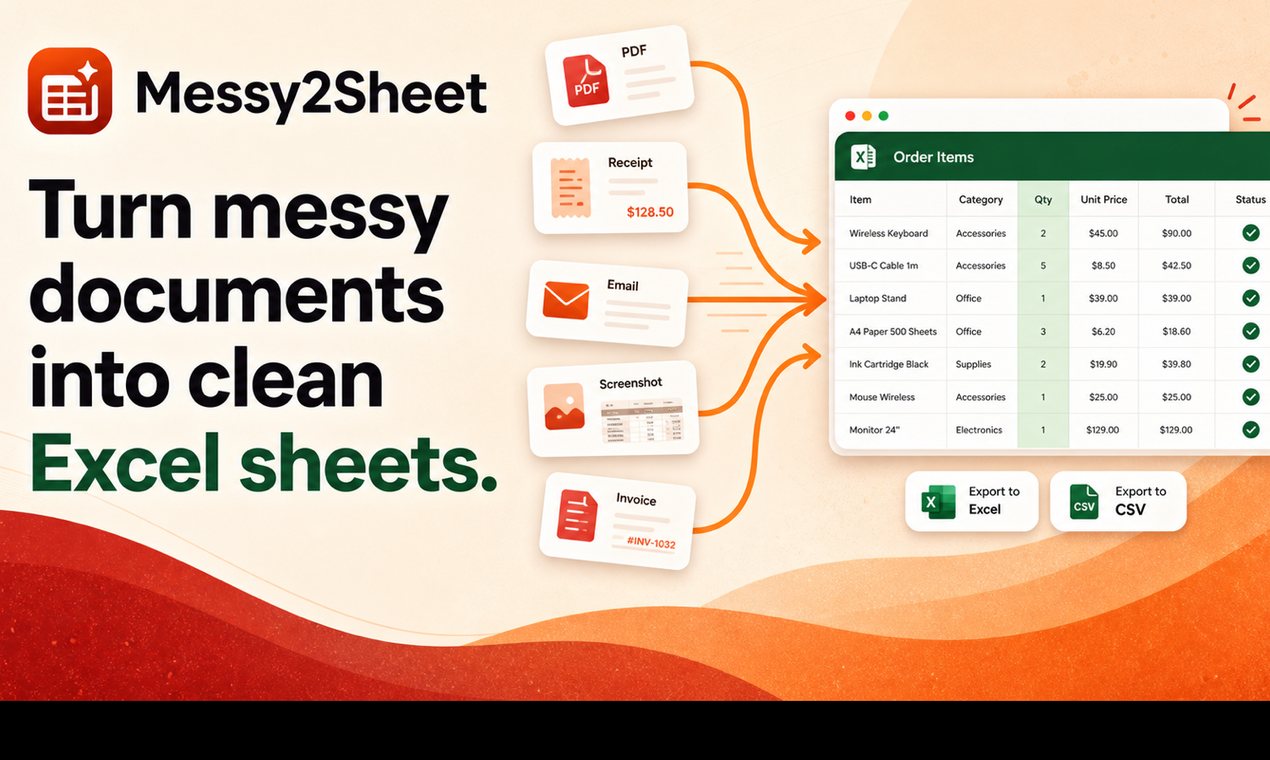
Messy2Sheet converts messy documents like PDFs, scans, and spreadsheets into usable Excel or CSV files by letting users define the desired table structure.
Overview
Introduction
Messy2Sheet is a document-to-Excel converter designed for handling business files that don't adhere to fixed templates. It simplifies the process of extracting data from various document formats – including PDFs, scans, spreadsheets, and even pasted text – into structured Excel or CSV files. By allowing users to define the desired column structure and preview the resulting workbook before exporting, Messy2Sheet streamlines data extraction and transformation, eliminating the need for manual data entry and formatting. This makes it a valuable tool for businesses seeking to automate data processing and improve efficiency.
The platform is built to address the common challenge of dealing with unstructured or semi-structured data found in invoices, bank statements, purchase orders, and other business documents. It offers a user-friendly interface and advanced extraction capabilities, enabling users to quickly convert complex documents into usable data. Messy2Sheet aims to empower users to focus on analysis and decision-making rather than spending hours manually cleaning and organizing data.
Messy2Sheet offers three primary modes of operation: Simple, Workflow, and Template. Simple mode is designed for one-time file conversions, allowing users to define the columns they need and extract the data. Workflow mode caters to repetitive tasks by saving extraction rules for reuse on similar documents. Template mode is designed for scenarios where the output format is fixed, enabling users to populate a predefined table structure with the extracted data.
Key Features
- Document Conversion: Converts PDFs, scans, screenshots, spreadsheets, and pasted text into Excel or CSV formats.
- Customizable Column Selection: Allows users to define the desired columns in the output file, enabling precise data extraction.
- Preview Functionality: Provides a preview of the generated workbook before exporting, ensuring accuracy and desired formatting.
- Multiple Output Options: Supports exporting data as Excel (XLSX) or CSV files, catering to different user preferences and software compatibility.
- Workflow Automation: Enables users to save extraction rules for recurring tasks, automating the data extraction process.
- Template-Based Conversion: Facilitates data extraction and population into pre-defined Excel or CSV templates.
- Bank Statement Conversion: Specifically designed to convert bank statements into ledger-ready rows, extracting key details like transaction dates, descriptions, amounts, and balances.
- Invoice Automation: Automates the extraction of supplier details, invoice numbers, dates, taxes, totals, and line items from invoices.
Target Users
Messy2Sheet is ideal for a wide range of users, including:
- Accountants and Finance Professionals: Who need to extract data from financial documents like bank statements and invoices.
- Operations Managers: Who handle purchase orders and need to extract data for inventory management and procurement.
- Data Analysts: Who deal with unstructured data and need to convert it into a usable format for analysis.
- Business Owners: Who want to automate data entry and improve operational efficiency.
- Administrative Staff: Tasked with organizing and extracting data from various business documents.
Unique Selling Points
- Flexibility in Data Extraction: Unlike traditional OCR software, Messy2Sheet understands the context of the data and allows users to define the specific information they need.
- User-Friendly Interface: The platform is designed to be intuitive and easy to use, requiring no specialized technical skills.
- Automation Capabilities: The Workflow and Template modes enable users to automate repetitive tasks, saving time and reducing errors.
- Versatile Document Support: Messy2Sheet supports a wide range of document formats, making it a versatile solution for various data extraction needs.
- Preview and Validation: The preview functionality allows users to validate the accuracy of the extracted data before exporting the final file.
Pros and Cons
Pros:
- Saves Time: Automates the data extraction process, reducing the time spent on manual data entry.
- Improves Accuracy: Eliminates the risk of human error associated with manual data entry.
- Increases Efficiency: Streamlines data processing and allows users to focus on analysis and decision-making.
- Reduces Costs: Lowers labor costs associated with manual data entry and data cleaning.
- Easy to Use: Intuitive interface with good user experience; requires limited technical expertise.
Cons:
- Accuracy Depends on Document Quality: The accuracy of the extracted data depends on the quality of the source document (e.g., clarity of scans, readability of text).
- Learning Curve: Some users may require time to learn how to effectively use all the features of the platform.
FAQ
- What types of documents can I upload?
You can upload PDFs, scans, screenshots, images, emails, spreadsheets, and pasted text. Messy2Sheet is designed to handle a wide variety of document formats commonly used in business. - Is Messy2Sheet just OCR software?
No, Messy2Sheet goes beyond simple OCR. While it performs OCR to extract text from images and scans, it also organizes the extracted data into structured rows, columns, and separate sheets based on your specifications. This makes it more powerful than basic OCR tools. - Can I define my own columns for the output file?
Yes, you can define the columns you want in the output file. Simply describe the columns you need in plain language, such as date, supplier, item, quantity, unit price, total, and notes. Messy2Sheet will use this information to extract the relevant data from the source document. - Which mode should I use: Simple, Workflow, or Template?
Use Simple mode for one-time file conversions where you need to extract data from a single document. Choose Workflow mode for recurring tasks where you need to extract data from similar documents on a regular basis. Select Template mode when the final Excel or CSV file needs to match a fixed format or structure. - Can I download the extracted data in both Excel and CSV formats?
Yes, you can download the extracted data in both Excel (XLSX) and CSV formats. This gives you the flexibility to choose the format that best suits your needs and software compatibility.
Top Features
- Convert documents to Excel you can actually use.
- Automate data extraction from messy files and PDFs.
- Define output columns and preview before exporting.
Traffic Analysis
Monthly Visits
--
Avg. Duration
--
Global Rank
--
Bounce Rate
--
Alternatives to Messy2Sheet

SubmitMap
SubmitMap offers an exhaustive directory of 829 launch platforms, detailing eligibility, submission steps, and realistic outcomes for your product.

Wisegrid
Wisegrid transforms familiar spreadsheets into dynamic work management tools, offering live dashboards, automations, and AI capabilities for teams.

Groniz
Groniz empowers users to manage their social media presence on over 32 platforms by leveraging AI agents like Claude Code or through an intuitive console interf

Merlin
Merlin turns your goals into finished work by planning tasks, running AI agents, and managing projects, letting you focus on outcomes.

Quotelyo
Use eight free calculators for SIP, EMI, compound interest, savings, budgeting, debt payoff, inflation and FD/RD — no sign-up required.

VibeCodingList
A community directory for vibe-coded apps where builders get feedback, visibility, and connections to grow their projects.

100mini
Instant HTML hosting with no signup: paste AI-generated code or Claude artifacts, upload .html/.zip, and get a shareable live link in 30 seconds.

Satcove
Satcove queries Claude, GPT, Gemini, Mistral, Perplexity, and Grok together to deliver one consensus verdict with an agreement score.