
Your all-in-one browser workspace for photo, video, AI, and file tools.
Added: 7/13/2026
MikeSullyTools offers quick photo fixes, video cleanup, AI image generation, PDF tools, and creator workflows in one browser workspace.
Overview
Overview
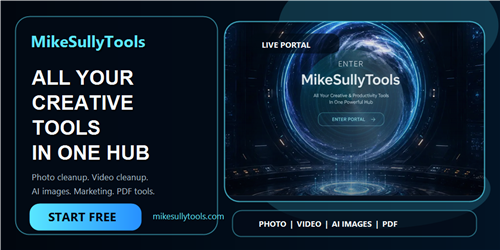
MikeSullyTools is a comprehensive, browser-based platform designed to streamline creative and productivity workflows for content creators and professionals. It consolidates a wide array of tools, from quick media fixes like blurry photo enhancement and video cleanup to advanced AI-driven features such as AI image generation. The platform aims to provide a unified workspace, eliminating the need to switch between multiple applications for common creative and file management tasks, all accessible from your web browser.
Key Features
- Quick Photo & Video Fixes: Instantly improve the quality of blurry photos and clean up short video clips with a simple upload-and-export process.
- AI Image Generation: Create unique images using AI, with options for advanced studios and prompt examples to guide your creations.
- PDF to Word Conversion: Seamlessly convert PDF documents into editable Word files directly within the browser.
- Creator Workflow Tools: A suite of tools specifically for content creators, including UTM & QR builders, caption/hook creators, media kit generators, and rate card calculators.
- Comprehensive Learning Resources: Access tutorials, blog posts, and detailed guides for mastering photo editing, video enhancement, and AI image generation.
- Account Management & Support: Manage your member account, restore purchases, access support, and submit suggestions.
- Browser-Based Accessibility: All tools are available directly in your web browser, requiring no downloads or installations.
- Preview Functionality: Preview the results of photo and video cleanup before committing to an export, ensuring you only use valuable output.
Target Users
This platform is ideal for content creators, social media managers, small business owners, digital marketers, and individuals looking to quickly edit media, generate marketing assets, or manage documents efficiently. Use cases include instantly fixing product photos for e-commerce, cleaning up user-generated video content, creating social media visuals, generating marketing campaign materials, and converting documents for easier editing.
Unique Selling Points
MikeSullyTools distinguishes itself by offering a tightly integrated suite of tools within a single browser workspace, reducing the friction of context switching. Its emphasis on quick fixes for photos and videos, coupled with powerful AI generation capabilities and essential creator economy tools, provides a unique value proposition. The immediate preview functionality for media fixes ensures user satisfaction and efficient credit usage, setting it apart from single-purpose tools.
Pros and Cons
Pros:
- All-in-one browser-based solution, no software installation required.
- User-friendly interface with quick fixes for common media issues.
- Powerful AI tools for image generation and enhancement.
- Dedicated tools for creators, including marketing and productivity aids.
- Preview feature for media fixes saves time and resources.
Cons:
- Reliance on internet connectivity for all operations.
- Specific usage limits or credit systems may apply, requiring purchases for extensive use.
Top Features
- Streamline your creative workflow with an all-in-one browser workspace.
- Effortlessly enhance photos, clean up videos, and generate AI images.
- Access essential creator tools like PDF converters and marketing builders.
FAQ
Traffic Analysis
Monthly Visits
--
Avg. Duration
--
Global Rank
--
Bounce Rate
--
Alternatives to MikeSullyTools
Domer AI
Domer AI is a free AI video generator that converts text or images into high-definition videos quickly, powered by models like Veo, Kling, and Seedance.

Orelon
Create cinematic videos from text or images with Orelon's AI video generator. Explore reusable effects, direct camera motion, and compare leading models.

TrackMedia
TrackMedia is a social media content distribution engine that cross-posts to 20 networks and tracks clicks in real time.

ReelMind
ReelMind is an AI video generator and community for creating, editing, remixing, and sharing cinematic videos with models, templates, and trends.

Seedance
Create cinematic AI videos with Seedance 2.5 using flexible 4–30s 480p/720p workflows, plus Vidu Q3 Turbo for fixed 5s 720p clips.

PageTranslate.ai
AI-powered translation for PDF, DOCX, EPUB, and images in 50+ languages, with exact pricing before you pay and formatting preserved.

Paper Animation
Create paper-style videos and GIFs from an image or short phrase, customize the animation, preview it, and export in 1080p.

RemoveSubs
Remove burned-in subtitles, captions, timestamps, and unwanted text from videos with AI. Upload your video, preview the result, and download the cleaned version online.