

Added: 2/21/2026
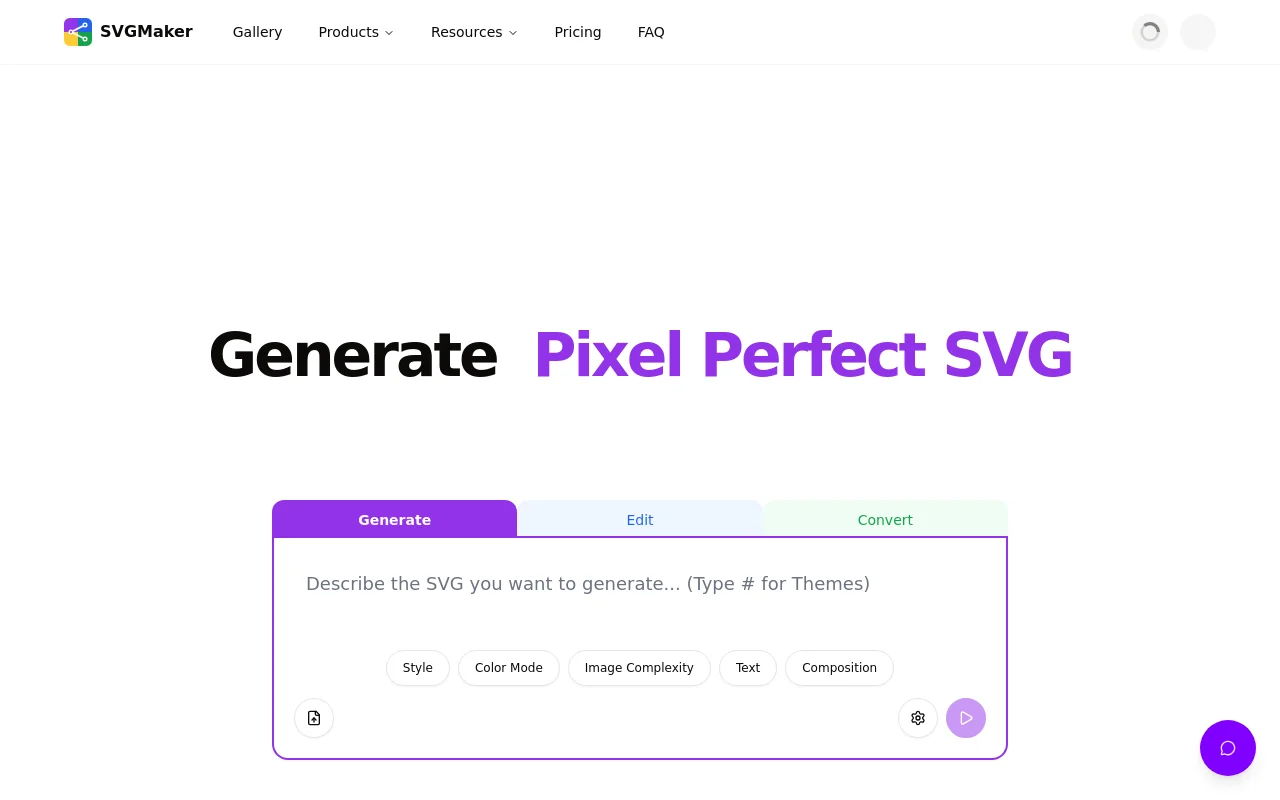
SVGMaker is an AI-powered SVG creation platform that transforms ideas into clean, scalable vector graphics in seconds, no installs, no learning curve. Just type a prompt, upload an image, or optimize existing SVGs, and SVGMaker instantly creates professional-grade vectors for logos, icons, illustrations, and more. With its built-in, browser-based visual editor and AI-powered tools, you can easily tweak colors, shapes, layers, and optimize file sizes, making it perfect for designers, developers, and crafters alike. Beyond quick creation, it offers API access and MCP server support, letting teams and developers integrate real-time vector generation directly into their workflows.
Overview
Why Choose SVGMaker?
SVGMaker combines the power of artificial intelligence with professional-grade editing tools, making vector graphic creation accessible to everyone from beginners to experienced designers. Whether you're generating SVGs from scratch, converting existing images, or optimizing files for web performance, SVGMaker streamlines your workflow with browser-based convenience and developer-friendly integrations.
✨ AI SVG Generator
Create high-quality SVGs, vectors, logos instantly from text prompts with advanced AI models.
✨ AI SVG Converter
Convert raster images (PNG, JPG, WebP, Bitmap) into clean, scalable vector graphics with AI precision
✨ AI SVG Editor
Fine-tune generated SVG files with fully editable paths, layers, and elements
✨ Built-in Visual Editor
Take full manual control with an intuitive browser-based editor for paths, shapes, and layers
✨ Image Converter
Convert images between formats including JPG, PNG, WebP, GIF, TIFF, AVIF, and SVG, with support for both raster-to-raster and vector conversions (SVG ↔ JPG, PNG, PDF, EPS, AI, DXF), directly in the browser.
✨ SVG Optimizer
Compress and optimize SVG files to reduce size without quality loss
✨ SVG to Raster Converter
Export SVGs back to PNG, JPG, or WebP at any resolution
✨ Multiple Export Formats
Export in vector formats (SVG, AI, PDF, DXF, EPS, PS), raster formats (JPG, PNG, WebP), and code (JSX for React, React Native, HTML, CSS)
✨ SVG Code Viewer & Editor
View, edit, and write SVG code directly with live preview and syntax highlighting
✨ Batch Processing
Process multiple images or SVG files simultaneously for maximum efficiency
✨ Template Library
Access professionally designed SVG templates and elements for quick starts
✨ Developer API & MCP Integration
Generate, edit, convert, and optimize SVGs programmatically; integrate directly into Claude Code, Cursor, VS Code, and other development environments
Traffic Analysis
Monthly Visits
--
Avg. Duration
--
Global Rank
--
Bounce Rate
--
Alternatives to SVGMaker

Brat Generator
Free Brat Generator (BratGenerator) - Create custom Brat-style covers! Design text, lyrics & fonts. Best online brat generator inspired by Charli XCX.

String Art Generator
Free online tool to transform images into customizable string art patterns with adjustable pins and lines.
Kirkify
Kirkify Anyone into Charlie Kirk with AI Face Swap

Black Screen
Professional black screen tool for monitor testing, OLED burn-in prevention, and dead pixel detection. 4K downloads, 9 colors, fullscreen - 100% free.

NewbornPhotos
Create a beautiful newborn photoshoot from one baby photo. Upload an everyday picture, choose a portrait style, and use AI to create studio-style newborn portraits online.

Zanta AI
Create AI videos and images in Zanta AI using Veo 3.1, Nano Banana, and GPT Image — text-to-video, image-to-video, and editing in one studio.

UsInYears
Upload a couple's photo to generate four private, AI-imagined future portraits at 10, 20, 30, and 50 years, with a preview before payment.

Bonsivo
Bonsivo analyzes your tree's structure to generate multiple potential styling directions, helping you make informed decisions before pruning.