

Your personal AI boss: one library, one usage meter, and alerts for every AI coding session.
Added: 10/7/2026
Free desktop app that unifies every AI coding session into one searchable library, flags when an agent needs you, and meters usage across providers.
Overview
Automater (AUTOMATER.AI)
Overview
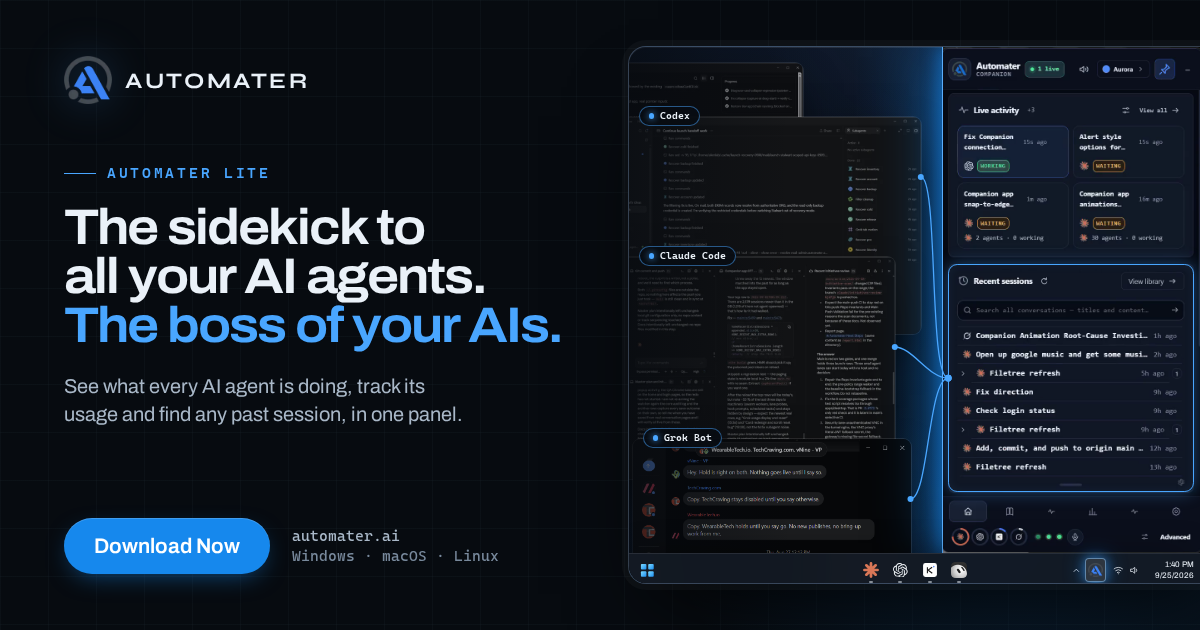
Automater is a free desktop application for Windows, macOS, and Linux, positioned as a “Personal AI Boss” for your AI coding tools. Instead of scattering your work across terminals, IDE panels, and provider dashboards, Automater creates one searchable library of every AI coding session on your machine. It also monitors when an AI agent needs your attention and provides a single usage meter across nine providers. The product is aimed at developers who use multiple AI coding assistants and want a central control layer without switching between tools.
Key Features
- Unified searchable session library: Captures every AI coding session on your machine into one searchable place.
- Agent attention flag: Alerts you when an AI coding agent needs your input, reducing the need to check each tool manually.
- Cross-provider usage meter: One meter across 9 providers to help track usage, capacity, and potential costs.
- Cross-platform desktop app: Runs on Windows, macOS, and Linux.
- Broad AI tool coverage: The page lists support or integration with tools such as Claude Code, Codex, Gemini, Antigravity, Grok, Cursor, VS Code, Windsurf, Warp, Aider, MiniMax, DeepSeek, Kiro, Roo Code, Kilo Code, OpenHands, Amp, goose, Trae, Mistral Vibe, Kimi, Qwen Code, Z.ai GLM, Copilot, OpenCode, and more.
- Free core app with PRO upgrade: The main app is free, with an “Upgrade to PRO” option and an introductory offer on the site.
Target Users
- Developers who use multiple AI coding assistants or agents.
- Engineers managing parallel AI sessions and needing to know when an agent requires human input.
- Users who want to track AI usage across providers from a single meter.
- Windows, macOS, and Linux users.
- Users of popular AI coding tools such as Claude Code, Codex, Cursor, Copilot, Windsurf, and similar agents.
Unique Selling Points
- “Personal AI Boss” positioning: Acts as a central control layer over your AI coding tools.
- One library for all sessions: Avoids per-tool history and scattered terminal logs.
- Attention flag across agents: Tells you when an agent needs you instead of making you poll each tool.
- Single usage meter across 9 providers: Makes cross-provider usage tracking simpler.
- Wide provider and tool coverage: Supports a large and growing list of AI coding agents and editors.
- Free desktop app: Low barrier to entry, with a PRO upgrade path for advanced needs.
Pros and Cons
Pros
- Free to use.
- Cross-platform: Windows, macOS, and Linux.
- Reduces context switching between AI coding tools.
- Provides a searchable local session library.
- Alerts you when an agent needs attention.
- Offers a unified usage meter across multiple providers.
- Supports many popular AI coding tools and agents.
- PRO upgrade available for users who need more.
Cons
- Requires a desktop installation.
- Exact PRO pricing and feature limits are not fully detailed on the homepage.
- The usage meter covers 9 providers; exact provider coverage may vary or change.
- Privacy and data-handling details should be reviewed in the privacy policy.
- It complements rather than replaces a full IDE or terminal workflow.
Top Features
- One searchable library of every AI coding session on your machine
- Flag when an agent needs you
- One usage meter across 9 providers
FAQ
Traffic Analysis
Monthly Visits
--
Avg. Duration
--
Global Rank
--
Bounce Rate
--
Alternatives to AUTOMATER.ai

JoMatter
A free browser-based toolbox for formatting, minifying, validating, analyzing, generating, and testing HTML, CSS, and JavaScript code.

MarkdownCo
A free online tool to convert between Markdown, PDF, Word, and HTML. Renders LaTeX, Mermaid, and GFM accurately.

ExplainViz
ExplainViz is an AI scientific figure maker that turns research findings, variables, theories, and abstracts into editable, publication-ready diagrams and posts

Intertakt
An ad-free interval timer for HIIT, Tabata and rounds that runs with the screen locked and calls out cues over your music.

SubmitMyStartup
A tested directory of free startup submission sites with real results, a launch planner, bundles and an MCP server for faster startup promotion.

Growth Bounties
Growth Bounties is a VibeCodingList beta marketplace for fixed Ahrefs Domain Rating targets with independent checks and refunds if missed.

Notify Sound
A free library of editable notification sounds — dings, chimes, pops and alerts — that you customize with an AI agent in-browser.

FloorPlanBot
AI floor plan generator that turns written room briefs into editable 2D house layout concepts with PNG, PDF, and schematic DXF exports.