

Convert HEIC & HEIF to PNG in your browser — batch up to 10 photos, no upload, no signup.
Added: 10/17/2026
Free browser-local HEIC/HEIF to PNG converter: batch up to 10 photos, no upload, no signup, no watermark, download PNGs or a ZIP.
Overview
Overview
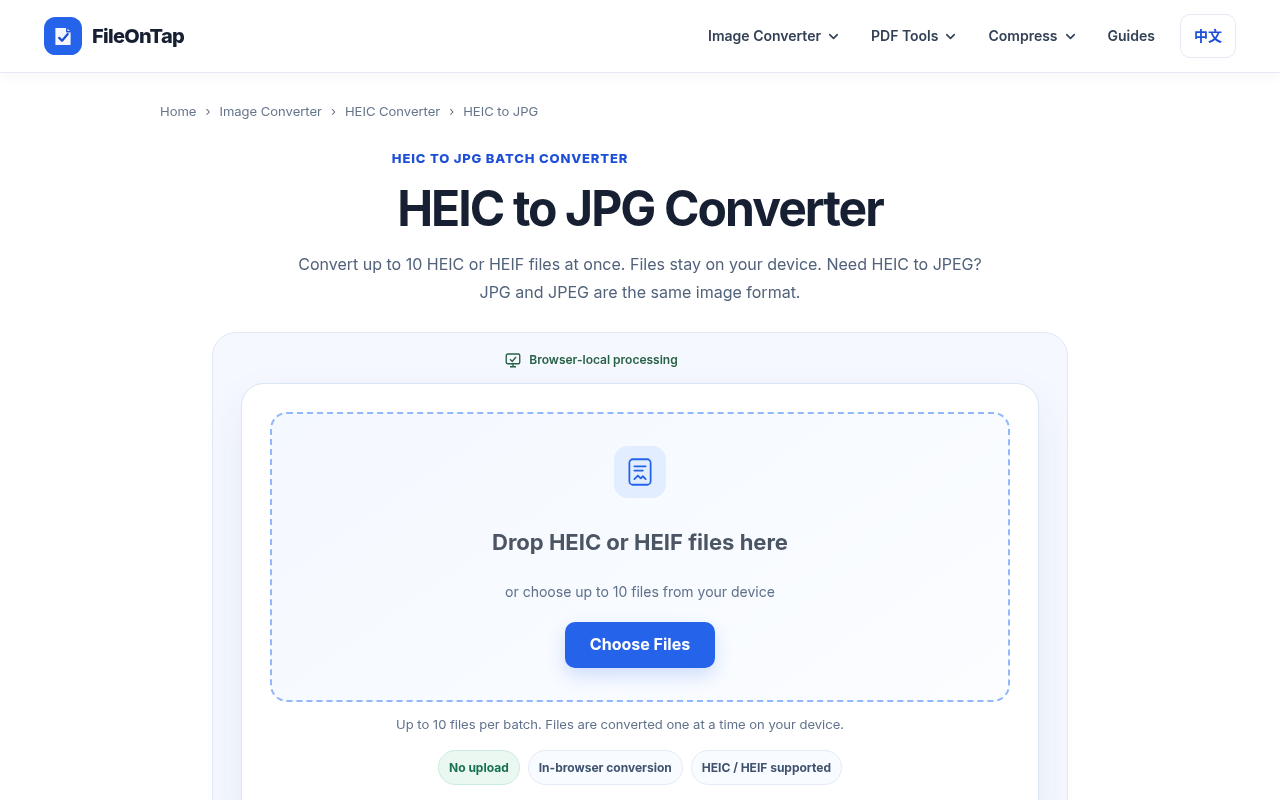
FileOnTap's HEIC to PNG Converter is a free, browser-local tool that turns Apple's .heic and .heif photos into standard PNG files. Instead of shipping your images to a remote conversion server, the decoding and re-encoding happen inside your current browser tab — the page states plainly that "your files stay in your browser. No upload needed." You can drag-and-drop or pick up to 10 files per batch, convert them one at a time on your device, then download each PNG individually or grab all successful results as a single .zip.
The tool is built for people who need a real, re-encoded PNG rather than a renamed file: the HEIC is fully decoded and a brand-new PNG is written from the output pixels. That makes it useful when you plan to keep editing, need pixel-stable output, or must satisfy a form or workflow that only accepts PNG. The same converter accepts both .heic and .heif extensions, and it works without an account, without payment, and without adding any FileOnTap watermark to your results.
Key Features
- True format conversion, not renaming — the HEIC/HEIF still image is decoded and a freshly encoded PNG is produced, so the output is genuinely readable by PNG-only tools and upload forms.
- Browser-local processing — decoding runs on your device inside the page; image contents are not sent to a conversion server. Standard network requests only load the site and decoder assets, and basic page-view analytics may send usage data (never your photos).
- Batch queue up to 10 files — select or drop up to 10
.heic/.heiffiles in a single batch; files are converted one at a time to keep memory use predictable. - HEIC and HEIF support — a single input accepts
.heic,.heif,image/heicandimage/heif, so mixed folders work in one pass. - Individual or ZIP download — download each finished PNG on its own, or use Download All (.zip) once processing finishes; a Clear completed action tidies the queue.
- No upload, no signup, no watermark — no login step, no payment, and no FileOnTap branding burned into the output.
- Lossless PNG output — the PNG preserves the decoded output pixels with lossless encoding, and PNG supports transparency where the source allows it.
- Smart next-step suggestions — when a PNG is too large for an upload form, the tool points you to the local Image Compressor, HEIC to JPG for smaller files, or HEIC to PDF for document submission or printing.
- Clear guidance and comparison content — a three-step "How to Convert HEIC to PNG" walkthrough plus an "HEIC vs PNG vs JPG at a glance" table covering compression, typical photo size, transparency and best use case.
- Accessible, multilingual shell — breadcrumb navigation,
aria-livestatus announcements for the conversion queue, and an alternate Chinese (zh-CN) locale with properhreflangtags.
Target Users
- iPhone and iPad owners who need to open or share photos on Windows, Android, or older software that cannot read HEIC.
- Designers and editors who want a lossless, pixel-stable PNG as a working file before retouching, compositing, or placing the image in a layout.
- People filling out online forms — job portals, government submissions, printing services — that explicitly require PNG.
- Privacy-conscious users handling personal, client, or medical photos who would rather not upload originals to an unknown server.
- Small teams and freelancers who want a no-cost, no-install, no-account conversion step for occasional batches of up to 10 photos.
- Users on locked-down or shared computers who cannot install desktop conversion software.
Unique Selling Points
- Privacy by architecture, not by promise — the conversion path is local, so the strongest selling point is that your photo never leaves the device for processing.
- Zero friction — no account, no email, no watermark, no desktop install, no payment tier gating the basic download.
- Honest format guidance — rather than pretending PNG is always best, the page explains that photographic PNGs are often much larger than JPG and recommends HEIC to JPG when sharing or broad compatibility is the real goal.
- Practical batch workflow — a 10-file queue with ZIP export hits the sweet spot for real-world photo dumps without hammering browser memory.
- Connected toolchain — when PNG turns out to be too heavy, one click takes you to a local image compressor or a PDF/JPG alternative, so you are never stuck.
Pros and Cons
Pros
- Completely free with no signup, no login, and no watermark on output.
- Files are processed locally in the browser — no upload of photo contents.
- Accepts both
.heicand.heif, so mixed Apple photo folders work in one batch. - Genuine re-encoding produces a real PNG, not a mislabelled HEIC.
- Batch of up to 10 with convenient ZIP download and a "clear completed" control.
- Lossless PNG output is ideal for further editing and PNG-only submission forms.
- Works without installing any desktop application; accessible queue with
aria-livestatus updates. - Helpful cross-links to compression, JPG, and PDF alternatives when PNG is the wrong fit.
Cons
- Hard cap of 10 files per batch, so large photo libraries need multiple passes.
- Photographic PNGs can be many times larger than the equivalent JPG, which may be a poor fit for sharing or size-limited uploads.
- Requires a modern, compatible browser; a very old or restrictive browser may block local file handling or downloads.
- Not truly offline — the site and decoder assets must load over the network first, so the first conversion needs a connection.
- PNG output does not carry over the original HEIC metadata, HDR detail, or Apple-specific features; you should keep the source file if those matter.
- Conversion speed and success depend on device memory and the number of photos queued at once.
Top Features
- Converts .heic and .heif photos into genuine re-encoded PNG files, not renamed copies
- All decoding and encoding runs locally in the browser — no photo upload required
- Batch queue supporting up to 10 files per run, processed one at a time on your device
FAQ
Traffic Analysis
Monthly Visits
--
Avg. Duration
--
Global Rank
--
Bounce Rate
--
Alternatives to FileOnTap HEIC to PNG Converter

Unplain
Unplain converts docs and AI drafts (Word, Markdown, plain text, ChatGPT/Claude output) into branded, publish-ready PDFs like ebooks and lead magnets.

ExplainViz
ExplainViz is an AI scientific figure maker that turns research findings, variables, theories, and abstracts into editable, publication-ready diagrams and posts

Notify Sound
A free library of editable notification sounds — dings, chimes, pops and alerts — that you customize with an AI agent in-browser.

FloorPlanBot
AI floor plan generator that turns written room briefs into editable 2D house layout concepts with PNG, PDF, and schematic DXF exports.

ToolSift
Discover verified, curated tools for developers and creators across AI, SEO, design, marketing, and other build-and-ship categories.

BabyShower AI Planner
Snap a photo of your room to get AI-generated baby shower themes tailored to your space, lighting, and budget, with free previews.

Bonsivo
Bonsivo analyzes your tree's structure to generate multiple potential styling directions, helping you make informed decisions before pruning.

FondPix
FondPix is an AI wedding photo generator that turns your casual couple photos into realistic bridal portraits across 200+ styles and scenes.