

Convert table photos and screenshots into editable Excel spreadsheets quickly and accurately.
Added: 8/3/2026
Photo to Excel is an online converter that transforms table photos and screenshots into editable .xlsx files, merging multiple images and removing duplicates.
Overview
Overview
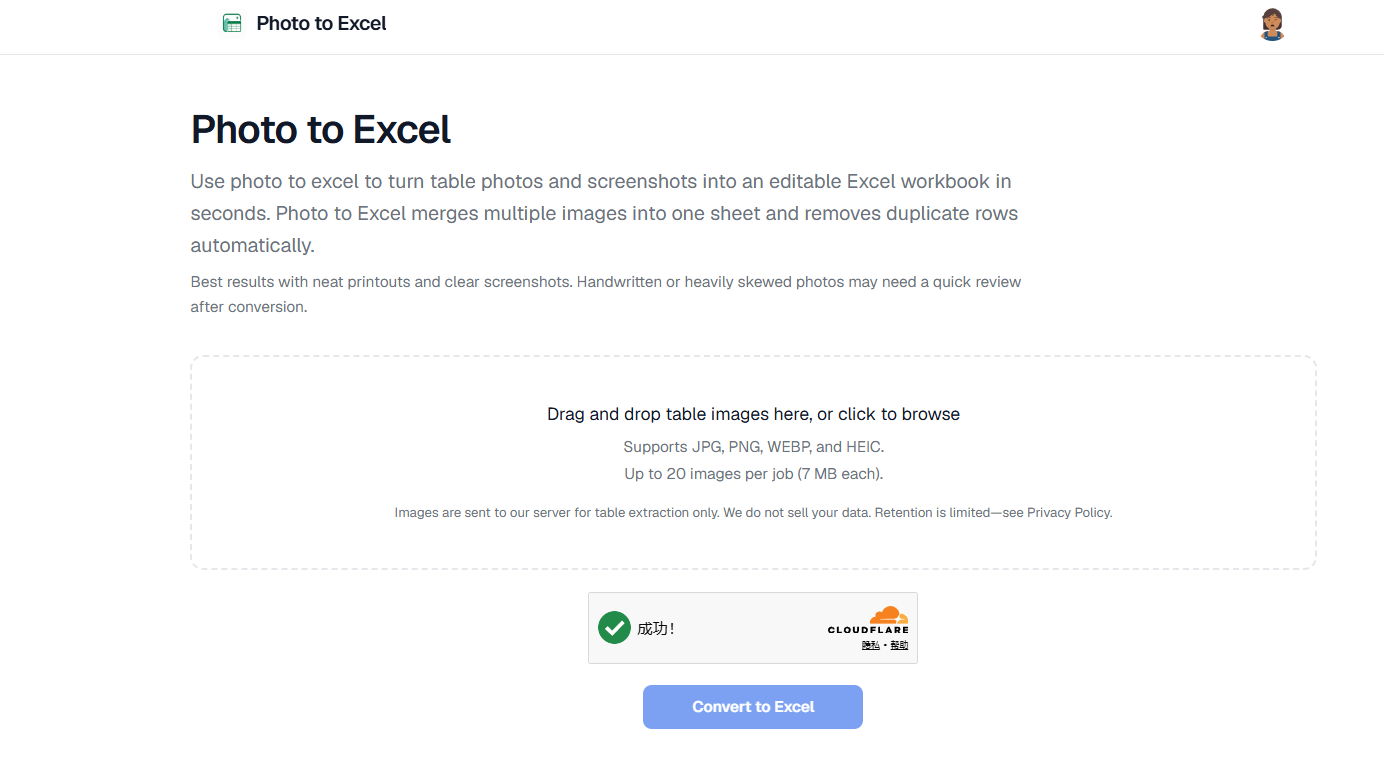
Photo to Excel is a web-based tool designed to streamline the process of converting image-based tables into fully editable Excel spreadsheets. It addresses the common pain point of manual data entry from physical documents or digital screenshots, which is often slow and prone to errors. By leveraging advanced recognition technology, the tool allows users to upload table photos or screenshots and receive a structured .xlsx file in return, significantly reducing time and effort.
Key Features
- Image to Excel Conversion: Converts JPG, PNG, WEBP, and HEIC table images into editable .xlsx workbooks.
- Multi-image Merge: Processes up to 20 images in a single job, combining them into one continuous table within a single sheet.
- Automatic Duplicate Removal: Identifies and cleans up overlapping duplicate rows when merging multiple images.
- Interactive Preview: Offers an editable preview of the converted table before final download, allowing for quick corrections.
- No Login Required: Users can preview and download their converted files without needing to create an account.
- Fast Conversion: Typically converts images within 20–45 seconds, providing rapid results.
- Data Privacy: Images are processed on servers for extraction only and are not used to train public AI models.
Target Users
Photo to Excel is ideal for a broad range of users who frequently deal with tabular data in image formats. This includes office and finance teams needing to digitize invoices, forms, or data from scanned documents and PDFs. It's also highly beneficial for shop and warehouse staff who might use phone photos of inventory lists, delivery notes, or other logistical data that needs to be transferred to a spreadsheet for tracking and management. Essentially, anyone who finds themselves manually retyping data from an image into a spreadsheet will benefit.
Unique Selling Points
What sets Photo to Excel apart is its combination of robust multi-image processing, automatic duplicate row cleanup, and a user-friendly, no-login-required workflow. Unlike generic OCR tools, it is specifically optimized for table extraction, ensuring columns and amounts land in the correct cells with high accuracy, particularly for neat printouts and clear screenshots. The ability to merge up to 20 images into a single, cohesive Excel sheet with intelligent duplicate removal is a significant time-saver, far surpassing manual merge efforts. Furthermore, the interactive preview allows for immediate edits, ensuring data integrity before committing to a download, all without the friction of account creation.
Pros and Cons
Pros:
- Significantly reduces manual data entry time and errors.
- Handles multiple images and merges them intelligently with duplicate removal.
- Provides an editable preview for quick corrections before download.
- No account is required for conversion, preview, and download, offering convenience.
- Supports common image formats (JPG, PNG, WEBP, HEIC).
- Fast conversion times, typically under a minute.
Cons:
- Performance can be affected by image quality (blurry, handwritten, heavily skewed photos may require review).
- Limited to 20 images per job and 7 MB per image.
- Images are sent to an external server for processing (though privacy is addressed).
Top Features
- Converts table photos/screenshots into editable .xlsx files, eliminating manual data entry.
- Merges up to 20 images into one sheet with automatic duplicate row removal for efficiency.
- Offers a free, editable preview and download without requiring a login or account creation.
FAQ
Traffic Analysis
Monthly Visits
--
Avg. Duration
--
Global Rank
--
Bounce Rate
--
Alternatives to Photo to Excel

Toolbantu
Fast, simple online tools for images, developers, text, files, security, and everyday digital tasks.

Ecommerce Data API
面向 Amazon 商品、关键词、市场、销量、评论、流量和商标研究的电商数据 API,支持开发者构建选品研究与自动化工作流。

SightRadar
Production-grade face recognition API to index, search, compare and detect faces — drop-in compatible with AWS Rekognition.

VibeCodingList
A community directory for vibe-coded apps where builders get feedback, visibility, and connections to grow their projects.

100mini
Instant HTML hosting with no signup: paste AI-generated code or Claude artifacts, upload .html/.zip, and get a shareable live link in 30 seconds.

AUTOMATER.ai
Free desktop app that unifies every AI coding session into one searchable library, flags when an agent needs you, and meters usage across providers.

EnjoySEOs
EnjoySEOs is a free, no-signup online toolkit of 10 SEO utilities for SERP previews, schema, sitemaps, redirects, hreflang and meta tags.

Speejax
SpeeJax offers free browser-based tools to minify HTML, CSS and JavaScript, compress images, optimize SVGs and convert formats for faster websites.